Most people fixate on resolution; the detail that usually matters more is how steady and usable the footage is.
If you search for “action camera buying guide” you’ll see specs lists full of megapixels and 4K claims. Resolution matters, but for real-world use—biking, surfing, skiing, or vlogging—stabilization, battery life, and mounting options tend to determine whether footage is watchable. Read the short list below first so you can match features to how you’ll actually use the camera.
What actually matters before you look at models
Pick priorities by use case, not by headline specs. Below are the common uses and the features that will affect results most for each one.
Biking, motocross, downhill—fast motion and vibration
- Top priority: image stabilization (sensor-shift, electronic ISR, or hybrid). Without good stabilization, 4K footage looks shaky and unusable.
- Second: high frame rates (60–120 fps at 1080p or 4K30/4K60) for smooth motion and slow-motion editing.
- Mounting: robust mounts (helmet, bar, or chest) and spare hardware matter more than tiny improvements in resolution.
Surfing, snorkeling, swimming—water and pressure
- Top priority: waterproof rating and housing depth. A native waterproof camera rated to at least 10m or a proper housing for deeper dives is essential.
- Second: sealed ports and microSD access—easy battery or card swaps are harder with housings, so longer battery life helps.
- Image stabilization is useful but often limited underwater; frame rate and color profile (or flat profile for color grading) are helpful.
Skiing, snowboarding—wide scenes and cold
- Top priority: battery performance in cold weather; some batteries lose capacity quickly at low temps.
- Second: wide field of view (FOV) to capture the landscape, plus reliable gloves-friendly controls or voice controls.
- Waterproofing/weather sealing for wet snow and quick transitions between warm and cold environments.
Vlogging, POV storytelling—sound and framing
- Top priority: audio quality and external mic support (or a reliable Bluetooth solution).
- Second: a front-facing screen or smartphone app for framing, and good low-light performance if you’ll shoot indoors.
- Stabilization still matters for walk-and-talk shots; consider gimbals if you need cinematic motion.
Key technical trade-offs to understand
Here are the frequent spec trade-offs you’ll encounter and how they affect footage.
Resolution (4K vs 1080p)
4K gives more detail and flexibility for cropping, but it produces larger files, drains batteries faster, and often requires stronger stabilization to look smooth. If most of your output is social media or YouTube at 1080p, a high-quality 1080p mode at 60–120 fps can be more practical.
Frame rate and bitrates
Higher frame rates are essential for slow motion; higher bitrate preserves detail and reduces compression artifacts. Check the camera’s sustained bitrate at your desired resolution/frame rate—advertised fps counts mean little if the bitrates are low.
Image stabilization
Electronic IS (EIS) crops the image a bit to stabilize, optical or sensor-shift stabilization retains more field of view but is more complex. For high-speed uses prioritize stabilization quality over extra pixels.
Battery life and replaceability
Action sessions often last longer than a single battery. Cameras with user-replaceable batteries let you carry spares; cameras with long internal batteries are convenient but harder to extend. Also note charging options—USB-C fast charging is helpful in the field.
Audio and accessory support
Built-in microphones can be noisy on helmets or mounts; look for an external mic jack, USB-C audio, or a compatible wireless mic. Also confirm spare mounts, third-party cases, and available gimbals.
Practical features that affect everyday usability
- Touchscreen and app usability: A responsive touchscreen and a reliable smartphone app cut setup time; low-quality apps make file transfer and framing frustrating.
- Durability and serviceability: Replaceable doors, accessible ports, and an active parts ecosystem matter if you crash or drop the camera.
- MicroSD compatibility and write speed: Look for UHS-I/UHS-II support depending on the bitrate you’ll use.
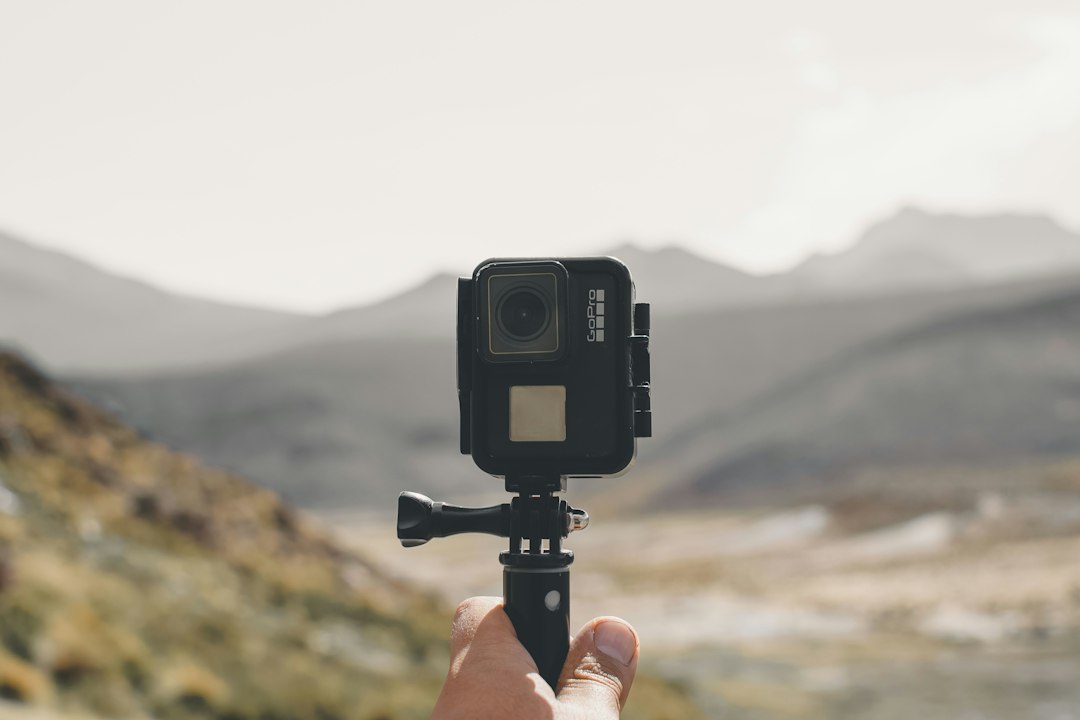
- Mounting ecosystem: Standard 3-prong mounts are ubiquitous; check for compatibility with common chest, helmet, and bike mounts.
How to prioritize features when your budget is fixed
Decide the single biggest failure you can tolerate—shaky footage, short sessions, or poor audio—and spend to avoid that. A practical prioritization for most buyers:
- Stabilization and usable frame rates.
- Battery life and spare batteries/charging options.
- Waterproofing and durable mounts for your activity.
- Audio and app convenience.
- Highest resolution you can use without sacrificing the above.
Store recommendation that fits most beginner-to-intermediate needs
If you want a dependable, budget-friendly do-it-all action camera that supports the priorities above—stabilization, replaceable battery and solid mount options—consider a well-reviewed mid-range model from the store catalog that balances features for general outdoor use.
This model is a practical first choice if your activities include biking, snorkeling (with housing), or travel vlogging. If your needs tilt more toward specialized flight or aerial capture, explore the drone category instead for stabilized aerial shots: camera drones.
When you might choose a different path
- If you prioritize cinema-quality footage and have a stabilizer: consider a compact mirrorless or interchangeable-lens camera instead and pair it with an action-ready housing; see related guide on compact digital cameras.
- If you mainly film shore-to-shore water sports and depth is critical: pick a camera with professional-rated housings or a dedicated dive camera.
- For quick social clips and minimal fuss: look for models with very fast wireless transfer and good in-camera stabilization so you can post right away.
- List primary activities and the worst footage failure you want to avoid (shake, short battery, poor audio).
- Confirm stabilization type and usable frame rates for your activity.
- Check battery life in real-world conditions and whether batteries are replaceable.
- Verify waterproof rating/housing and mount compatibility.
- Test or watch sample clips for stabilization and color, not just resolution.
Start from how you’ll use the camera: fast motion needs stabilization and frame rate; water use needs proper housings; vlogging needs audio and a screen. Buy to eliminate the single biggest risk to usable footage, then compare models for battery, mounts and app experience.
Do I need 4K for good action footage?
Not always. 4K helps retain detail and for cropping, but stabilization and bitrate affect perceived quality more; high-bitrate 1080p at 60–120 fps often looks better for fast action.
How important is waterproofing versus using a housing?
Native waterproofing to a reasonable depth is convenient; housings extend depth and protect lenses but add bulk and can limit touchscreen use—choose based on how deep or rough your water activities are.
Can I improve poor stabilization later in editing?
Some digital stabilization and warp-stabilize tools can help, but they crop and soften footage; getting good stabilization in-camera yields the best results.
What mounts should I buy first?
Start with a helmet or chest mount for POV, plus a reliable short extension arm and a handlebar mount if you bike; quality of mounting hardware matters more than brand of camera.
Are external mics worth it for action cams?
Yes, if you need clear voice or ambient sound; use a windscreen, a mic boom off the helmet, or record separately and sync in post for best results.
Related reading: see our common mistakes to avoid when buying tech online, the guide to avoid overspending on tech, and the action cameras category for current models and accessories.