What matters—and what you can ignore—when choosing smart security cameras
What matters first is whether you need clear, useful footage when it counts: daytime resolution, low-light/night performance, and reliable motion alerts. Equally important are power and connectivity (wired PoE or mains vs battery/wireless), and how video is stored (local vs cloud). What you can mostly ignore early on are fancy brand ecosystems, dozens of niche features you won’t use (virtual fences, hyper-dense analytics), and marketing terms like “AI” that aren’t explained clearly.
Quick answer: pick the right camera type for your practical need
If you want a single front-door solution: a video doorbell gives two-way audio, pre-roll notifications and clear visitor framing. For yard coverage or continuous recording: outdoor security cameras (PoE or mains) are better. For indoor monitoring: small plug-in cameras are easiest. Choose smart security cameras based on the use case first; later compare resolution, storage and integration.
How to decide between wired (PoE/mains) and battery/wireless cameras
Wired (PoE or mains) cameras are best when you want always-on reliability, higher sustained bitrates and local NVR recording without multiple battery swaps. PoE cameras also simplify networking and power over one cable—good for continuous recording or multi-camera setups. Battery or wireless models shine when installation flexibility matters or you cannot run wires; expect compromises on recording duration, cloud dependence and occasional connectivity drops.

Storage choices: cloud subscription vs local recording
Cloud storage offers convenience: off-site backup, easy sharing and remote review via an app. But it usually costs a monthly fee and can raise privacy concerns. Local storage (microSD or NVR/DVR) avoids subscription fees and keeps footage on your property, though it requires properly secured devices and on-site hardware. For many homeowners a hybrid approach—local recording with optional short-term cloud clips for alerts—balances cost and security.
Image quality, night vision and motion detection that actually help
Resolution (1080p vs 2K vs 4K) matters only to a point: 2K yields clearer faces and license plates at distance, but needs better bandwidth and storage. Night vision quality depends on sensor and IR illumination; color night vision is useful when available but adds cost. Motion detection should let you tune zones and sensitivity—avoid cameras that flood you with irrelevant alerts from street traffic or trees.
Small trade-offs to watch
- Higher resolution = bigger files and higher bandwidth; cheaper routers can struggle with multiple 4K cameras.
- Battery cameras save wiring but may delay recordings when conserving power or miss events during extreme cold.
- Wide-angle lenses capture more area but can distort a face; consider a mix of wide and tighter-field cameras depending on placement.
Privacy, encryption and what to check in the specs
Look for devices that support HTTPS/TLS for remote access, mention encrypted cloud storage, and provide local account-control options. Avoid cameras that force always-on cloud-only operation without local backup. Check firmware update policies—regular updates indicate active security maintenance. If privacy is a top priority, choose systems that allow you to disable cloud access and keep recordings on your home NVR.
Integration and smart home compatibility that actually matters
Ask whether you need voice assistant control or direct integration with an alarm panel. If you already use a smart home platform, prefer cameras compatible with it to avoid multiple apps. Otherwise, prioritize a camera app that offers clear live-view, fast playback and simple sharing. Don’t pick a system solely for a single headline integration—verify the features you’ll use daily.

When to hire a pro vs DIY install
DIY is fine for most doorbells and battery cameras—expect a 30–90 minute install. Choose professional installation for multi-camera wired PoE systems, complex mounts, or if you want tidy cable runs and hardwired NVR placement. A pro can also configure network segmentation and firewall rules to isolate cameras for privacy.
Recommended pick for beginners who want reliable local recording
If you want a solid wired doorbell that emphasizes local recording and image clarity, consider the REOLINK Video Doorbell PoE 2K (Rank #1). It fits homeowners who prefer consistent wired power, clear 2K footage for identification, and easier local NVR integration—good when you plan multiple PoE devices or already have a PoE switch.
Practical buying checklist before you click “buy”
Before purchasing, match the camera’s power type to your install plan, confirm storage options and associated costs, check night vision and field of view against the planned mounting position, and read recent firmware/security notes from the manufacturer.
Where to place cameras and common placement mistakes
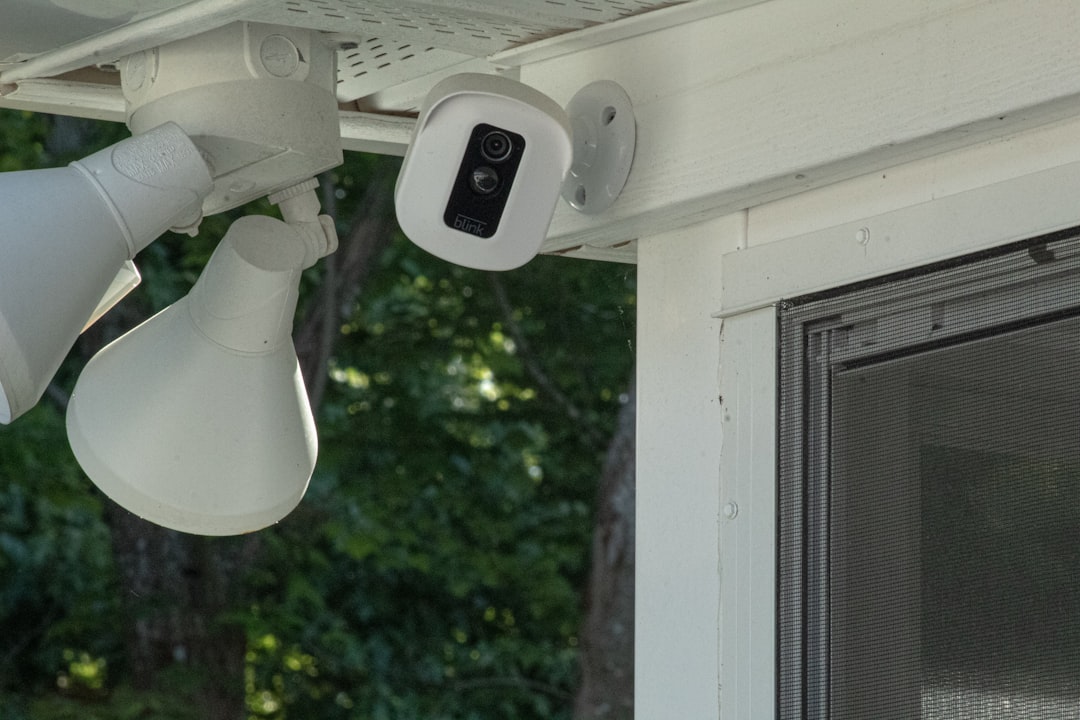
Mount doorbells at standard door height for natural framing; place outdoor cameras under eaves or sheltered spots to protect lenses and reduce false triggers from rain or insects. Avoid pointing cameras directly at bright light sources (streetlights, rising sun) and don’t mount too high—faces become small and unusable. For wide yards, stagger camera angles to avoid blind spots and overlap slightly for identification at different distances.
Easy steps to improve reliability and privacy on day one
- Put cameras on a strong, dedicated Wi‑Fi band or wired PoE segment; use a mesh system or a PoE switch for multiple devices.
- Create unique device passwords and enable two-factor authentication on accounts.
- Set motion zones and sensitivity to reduce false alerts, and test for a few days during the hours you most care about.
- Schedule firmware updates or check the app’s update page monthly.
Helpful links for next steps
To prepare your network and bandwidth for cameras, see How to Improve Your Home Wi‑Fi and Smart Device Setup. If you’re building a broader smart home, the Smart Home Devices for Beginners guide covers integration basics. For other camera types and mounts, check the site’s Action Cameras and Compact Digital Cameras categories for gear ideas.
- Confirm power method (PoE, mains, battery) and cable runs.
- Decide cloud vs local storage and estimate monthly cost.
- Choose mounting positions and test angles with a temporary mount.
- Create secure accounts and enable two-factor authentication.
- Test motion zones and night view before finalizing placement.
Start by matching camera type to the task: doorbells for front-door interactions, PoE/mains cameras for continuous outdoor coverage, battery cameras for flexible installs. Prioritize image quality, power reliability and storage that fits your budget and privacy needs.
Do I need 4K cameras for home security?
Not usually—2K or 1080p provides usable detail at shorter distances and uses less bandwidth and storage; choose 4K only if you need long-range ID or have strong network capacity.
Are video doorbells worth it if I have a front camera?
Yes—video doorbells frame visitors at the doorway, offer two-way talk and often include pre-roll event clips designed for door interactions that a general front camera may miss.
Can I keep footage only on my home network?
Yes—many PoE cameras and NVRs support local recording to an NVR or microSD; ensure the device allows disabling cloud backups if you prefer local-only storage.
How do I reduce false motion alerts?
Use motion zones, lower sensitivity for distant zones, enable person-only detection if available, and avoid pointing cameras at moving foliage or busy streets.
Is professional installation necessary for PoE systems?
Not always, but a professional helps with cable routing, proper PoE switch selection and securing the NVR/network—useful for multi-camera installs or complex homes.